When you’re creating a VRChat world, it’s a bit of a hassle to upload your world and sign in to check it every time you make a change, right? You can test it in VRChat’s desktop mode from Unity without uploading, so I’ll show you how!
The official documentation explains it below ⬇️
Using Build & Test
https://creators.vrchat.com/worlds/udon/using-build-test/
Change the “Build Type” in the familiar “VRCSdkControlPanel” to “Build & Test Your World.”
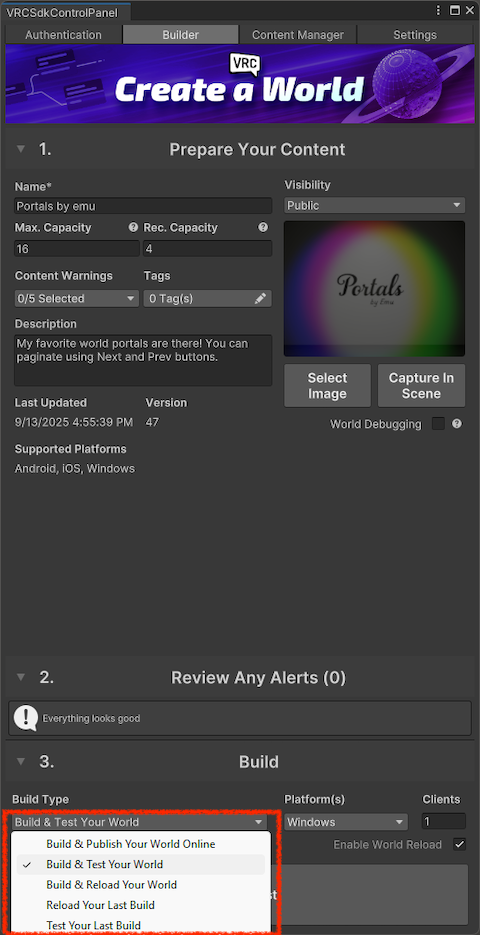
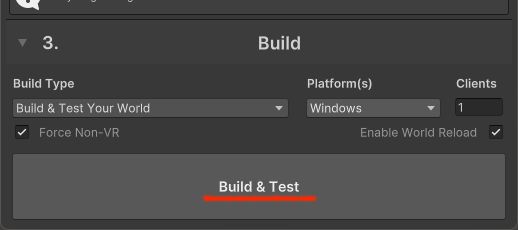
The button label will then change to “Build & Test.” Click it! Unity will build, and VRChat will launch in desktop mode, automatically placing you in the world you’re working on.
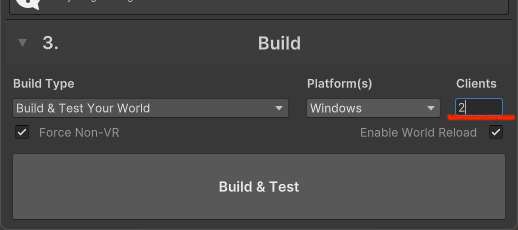
Setting the number of “Clients” to 2 or 3 will launch multiple VRChat instances, which is useful for testing features.
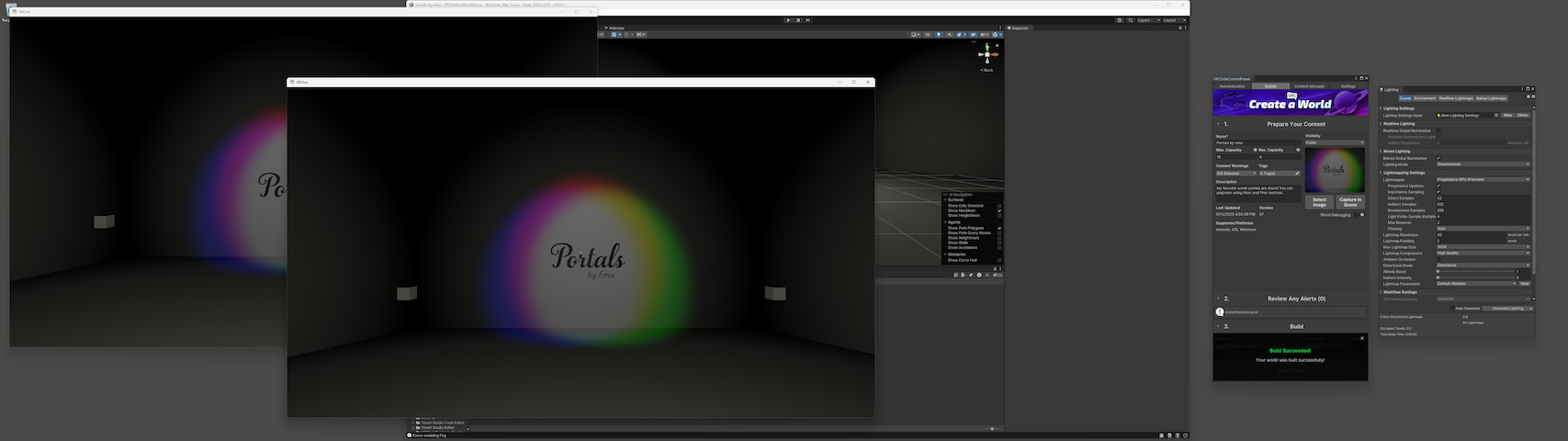
When you set the number of “Clients” to 2 and run “Build & Test,” your entire desktop will look like this.
Let’s enjoy this game!
ℹ️ component versions:
VRChat SDK - Base: 3.8.2
VRChat SDK - Worlds: 3.8.2
Unity version: 2022.3.22f1