VRChat for iOS and Android has been officially released! 🎉 Let’s get your avatars ready for iOS right away! ✨
VRChat is now available on iOS and Android for EVERYONE! 🍎
— VRChat (@VRChat) October 24, 2025
Check out our new animated trailer made by the incredible team at @StudioMeala : pic.twitter.com/999poS0Bt3
The steps are simple. First, open Unity Hub and add iOS Build Support to Unity.
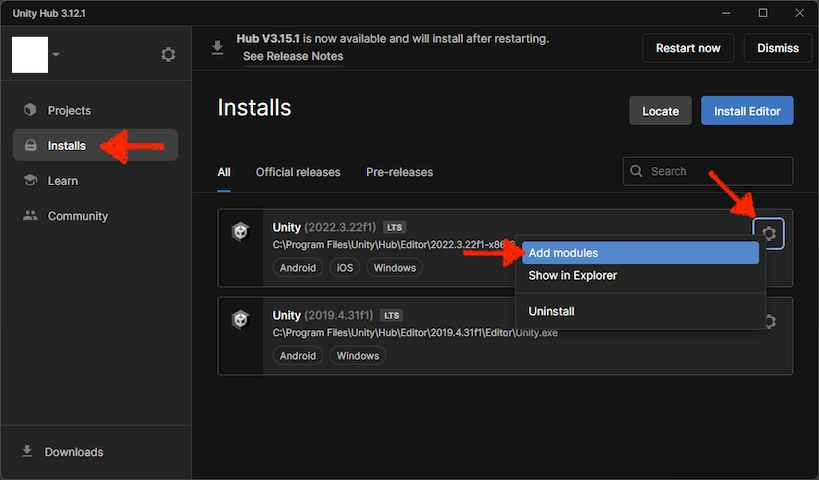
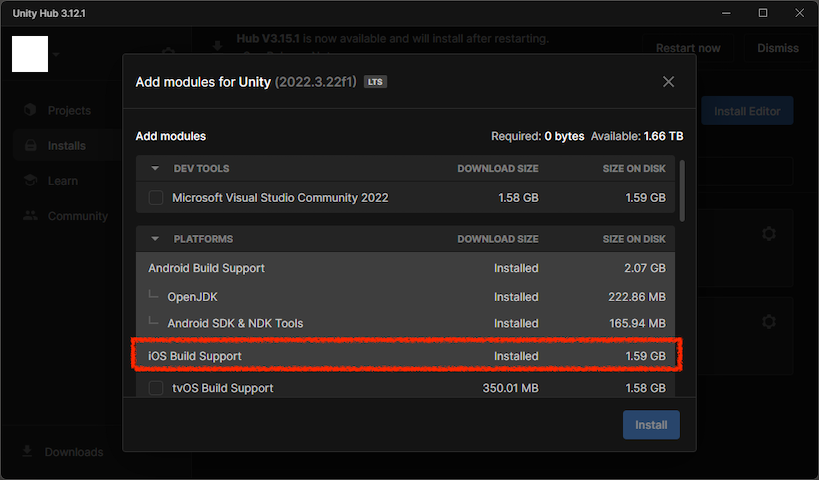
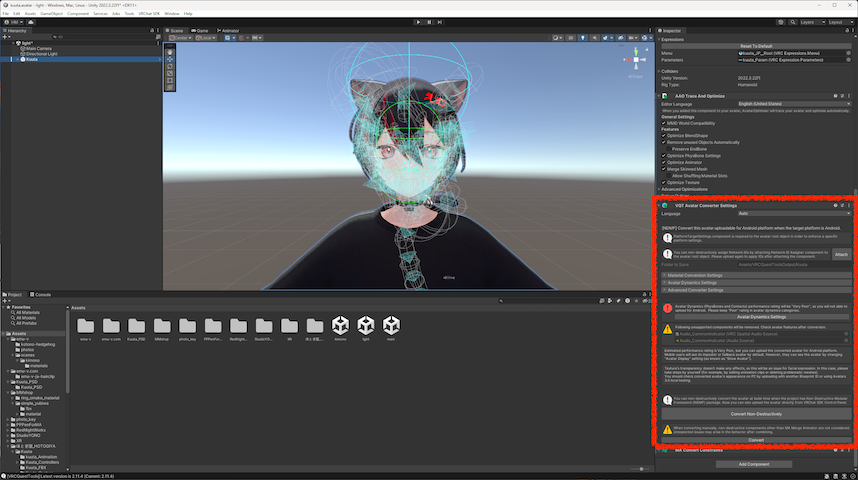
Once you’ve added iOS Build Support to Unity, launch your Unity Project and make it mobile-compatible. The process is the same as for Android and Meta Quest standalone devices. VRCQuestTools is very convenient!
After making your avatar mobile-compatible in the Unity project, display VRCSdkControlPanel and check all three platforms: Windows, Android, and iOS under Platform(s) in 3. Build. *1
*1 When uploading for iOS, you only need to check iOS, but doing so can cause extra work due to build target switching, so I recommend to build for all three platforms simultaneously.
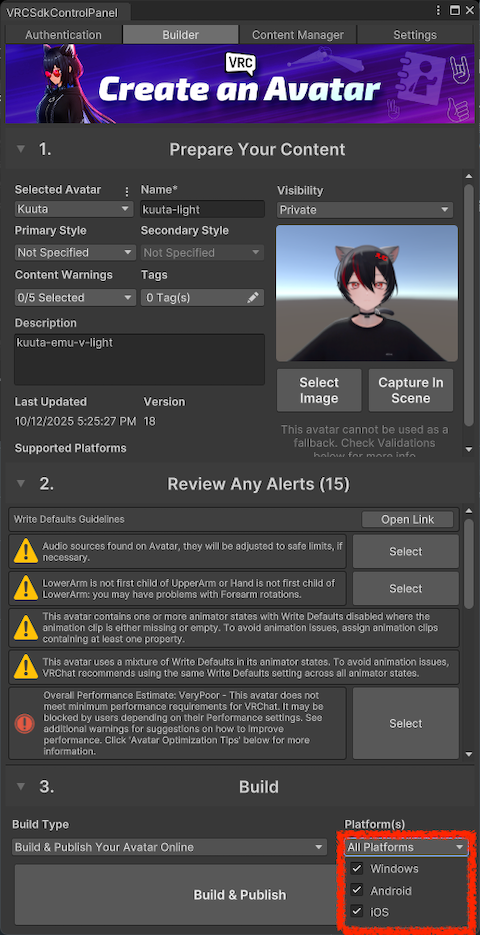
Finally, just click the Build & Publish button and wait! That was easy, wasn’t it? ✨