I often hear people say that once they start VRChat, they enjoy taking photos of the avatars they use.
However, one of the challenges in taking photos is posing. With three-point tracking, you can’t move your legs like with full-body tracking, tracking with six or more points, so the poses you can take are limited. I was given a handy tool called “AvatarPoseSystem” to solve this, so I gave it a try!
Installation is simple, as described on Booth’s product page, and I’ll briefly explain it here as well.
- Set up your avatar in Unity as usual. You’ll need lilToon and MA
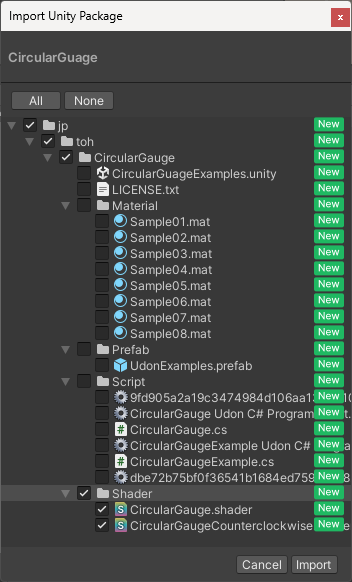
- Add only the shaders from “円形ゲージシェーダー CircularGuage”
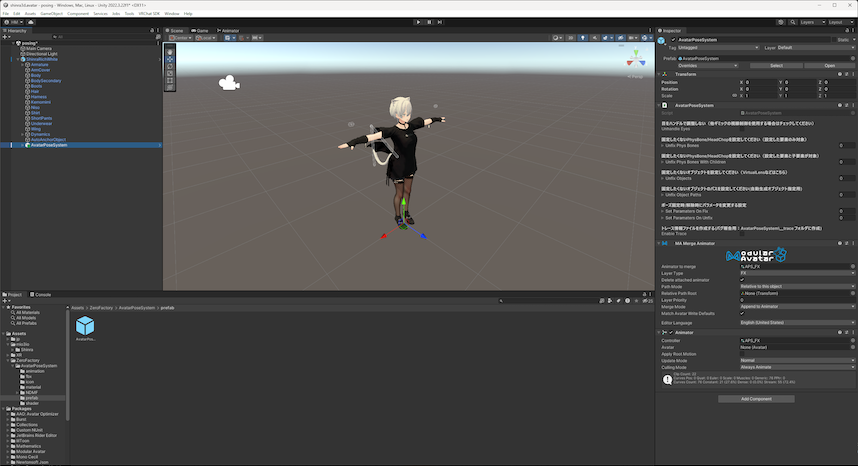
*1 - Add “AvatarPoseSystem,” then drag and drop the prefab directly under your avatar
*1 Check only the shaders boxes as shown below:
If your Unity project looks like this, everything’s set!
The official introduction video gives a clear idea of how it works.
Try out some cute and cool poses!
You can get “AvatarPoseSystem” here:
https://zerofactory.booth.pm/items/5989814